
What a BigCommerce ERP integration actually syncs, the three ways to build one, the quirks of each major ERP, and how to pick a connector by testing the hard cases first.
Read the full write-up: BigCommerce ERP integration
Chapters
- 0:00Intro
- 0:36What gets synced
- 1:21Four ways to build it
- 2:02Who does the work
- 2:44Which ERPs connect
- 3:32ERP quirks that matter
- 4:11A decision rule
- 4:51Where connectors break: pricing
- 5:35Orders, stock and outages
- 6:17BigCommerce B2B Edition
- 6:59How long it takes
- 7:38What drives the cost
- 8:18About ProjectThunder
- 8:49Next steps
Shorts from this video
 What a BigCommerce ERP integration actually syncs (0:45)
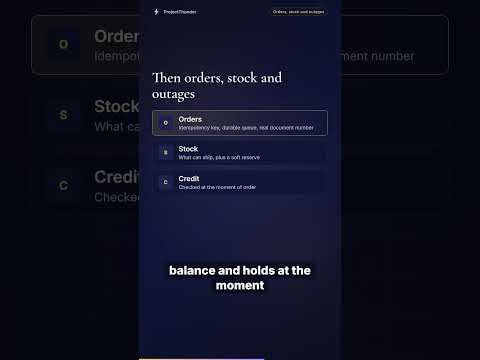 Duplicate orders, stock and ERP outages in BigCommerce (0:42)
 Every ERP has a catch: BigCommerce integration quirks (0:39)
 How to pick a BigCommerce ERP connector: test three hard cases (0:40)
 Why BigCommerce ERP connectors break on pricing (0:44)
Transcript
Intro
If you sell to other businesses on BigCommerce, your prices, stock and customers live in your ERP. The store has to stay in step with it. That could be SAP, Microsoft Dynamics, NetSuite, Acumatica, Sage, Epicor, or an older system on a server in your own building. There are several ways to connect the two, and plenty of connectors that claim to do it. They tend to break in the same places. In this video, we'll walk through the routes, the connectors for each ERP, where packaged connectors fail, and how long a project takes.
What gets synced
A BigCommerce ERP integration keeps six kinds of data in step between the store and the ERP. The catalog comes from the ERP item master, and customer prices are resolved into BigCommerce price lists. Stock should ideally be available to promise by warehouse, rather than total on hand. Customers move in both directions. Orders go into the ERP as sales orders, with status and tracking coming back. And invoices show up in the buyer's account. One fact shapes all of it. BigCommerce stores its own catalog and price lists, so every integration is a copy kept fresh. The engineering is in how fresh, how correct, and what happens when the copy and the ERP disagree.
Four ways to build it
There are three ways to build the integration, plus a hybrid of them. None is right by default. A packaged connector or marketplace app is the fastest, when your ERP, pricing and data fit its model. An integration platform, or iPaaS, gives you templates. It suits teams connecting several systems, though someone still owns the flows after go-live. Custom code fits calculated pricing, live checks at the cart, or an ERP nobody has packaged. And the hybrid uses a connector or iPaaS for routine flows and custom code for the hard one, which is usually pricing. That's the route that suits most mid-market B2B businesses.
Who does the work
Four kinds of firms take part in these projects, and most projects involve more than one. Connector vendors sell and support a packaged app for the ERPs their listing names. Fitting it to your pricing falls to your team or a partner. iPaaS vendors sell the platform and its templates. Integration partners test connectors against your data, choose the route, build what a connector cannot model, and support it after launch. That's where ProjectThunder sits, on the store side. And your ERP partner implements and supports the ERP itself. It usually delivers the API work on the ERP side. We integrate the ERP. We don't implement it.
Which ERPs connect
So which ERPs work with BigCommerce? Most of them. BigCommerce has documented REST and GraphQL APIs and webhooks, so any ERP that exposes its data can be connected. Connectors, marketplace apps or iPaaS templates exist for SAP, the Microsoft Dynamics family, NetSuite, Acumatica, Sage 100, Epicor Prophet 21 and Odoo, among others. Infor, SYSPRO, Sage X3 and older on-premises systems usually go through an iPaaS or custom code. BigCommerce doesn't publish a general ERP connector of its own. Some ERP vendors do. Acumatica builds one into its Retail Edition, and Oracle offers NetSuite Connector. Confirm current coverage with the vendor.
ERP quirks that matter
Each ERP has a quirk that shapes the integration. Business Central's API version two point zero has no pricing entity, so customer prices need custom work. Dynamics GP runs standard price levels or Extended Pricing, never both, so the integration reads whichever one you use. NetSuite's SOAP web services stop working in release twenty twenty-eight point two, so ask SOAP-based connectors about their move to REST. Sage 100 has no general-purpose web API, and needs a component running beside the Sage server. And Prophet 21 doesn't push events, so stock and status have to be polled.
A decision rule
Start by testing the hard cases: the three customers whose prices are hardest to explain, a real order with your document type, and a customer on credit hold. If a packaged connector names your ERP and version and passes all three, use it. If it passes everything except pricing, go hybrid, and build the pricing flow or a live cart price call yourself. If you already license an iPaaS, or more than two systems need the same ERP data, build on the iPaaS. And if no connector names your ERP, or it sits behind a firewall nobody wants to open, plan custom code with an agent or queue on the ERP side.
Where connectors break: pricing
Packaged connectors handle the common shape of each flow, and break at the edges, where B2B businesses keep their margin. Pricing breaks first. Many connector listings say only that they sync prices. Ask whether contract prices, quantity breaks and validity dates come through, or get flattened or dropped. When the ERP calculates price at order time, as SAP and Business Central do, a projected price list is right for most customers and wrong for the exceptions. Finance finds those weeks later. What holds up is synced price lists for browsing, and the ERP asked for the cart price, cached per customer. If pricing is unavailable, the store offers a quote and never a guessed price.
Orders, stock and outages
Orders come next. Duplicates appear when a retry posts the same order twice. Every order needs an idempotency key, a durable queue, and the real ERP document number returned to the buyer. For stock, a synced on-hand quantity isn't enough. Buyers need what can ship to them, plus a soft reserve at add to cart for when sync lags. On-account orders need the credit limit, balance and holds at the moment of order, and the storefront makes no financial writes. And when the ERP is down, the store serves its last good synced state, orders queue and post when it returns, and circuit breakers keep a slow ERP from becoming a slow store.
BigCommerce B2B Edition
BigCommerce B2B Edition adds companies with buyers inside them, company price lists, quotes, payment terms and an invoice portal. None of it knows about your ERP. Each company account maps to a sold-to customer, keyed on the ERP customer number, never a name. Ship-to addresses carry their ERP codes. A company price list holds a price per SKU and currency, so ERP formulas and stacked discounts are resolved into those prices first. Connector support for B2B Edition varies, and vendors differ on direction. Ask every vendor which B2B Edition objects they sync, in which direction, and how roles are handled.
How long it takes
Most projects take about three months including planning, and run longer when several vendors are involved or their people are part-time. Discovery takes four to six weeks. Any connector is tested against your hardest cases here, before a licence is signed. Design takes two to five weeks. Build has the widest range, four to twenty weeks. Configuring a connector sits at the short end, and a custom pricing service against an on-premises ERP at the long end. Then shipping takes one to three weeks: a parallel run on real data, reconciled line by line, then cutover with a rollback plan.
What drives the cost
The same ERP can produce a small project or a large one, so any figure given before the flows are mapped is a guess. These are what move it. First, the route. Connector and iPaaS costs recur. Custom code costs mostly up front, plus hosting and support. Then the number of flows, and how complex your pricing is. Calculated pricing is usually the largest single item. An on-premises ERP needs a secure way in, and ERP side work usually comes from your ERP partner. And each vendor is another calendar. Budget for the integration you'll operate, as well as the one you build.
About ProjectThunder
A word about who's telling you this. ProjectThunder is a California B2B ecommerce studio, founded in two thousand four, and a BigCommerce Partner. We've launched a hundred and fifty B2B storefronts across ERPs, and we integrate BigCommerce with SAP, Microsoft Dynamics and Sage. We put each integration we build through four layers of testing before launch, and support it afterwards on a monthly retainer. Our median client relationship is ten years.
Next steps
So test the hard cases first, pick the route that passes them, and write down how each flow behaves when something fails. The best ERP for BigCommerce is usually the one you already run. The store adapts to the ERP. The full write-up, with the connector table ERP by ERP, is on projectthunder.com. Thanks for watching.
Narration is an AI voice (Azure). The facts come from the linked write-up.


